Voice Packs
A voice pack lets a station speak its voice ATIS from pre-recorded WAV clips instead of text-to-speech. vATIS matches the spoken ATIS text against the pack, joins the clips for each word or phrase, and transmits the result.
Choosing a Voice Pack for a Station
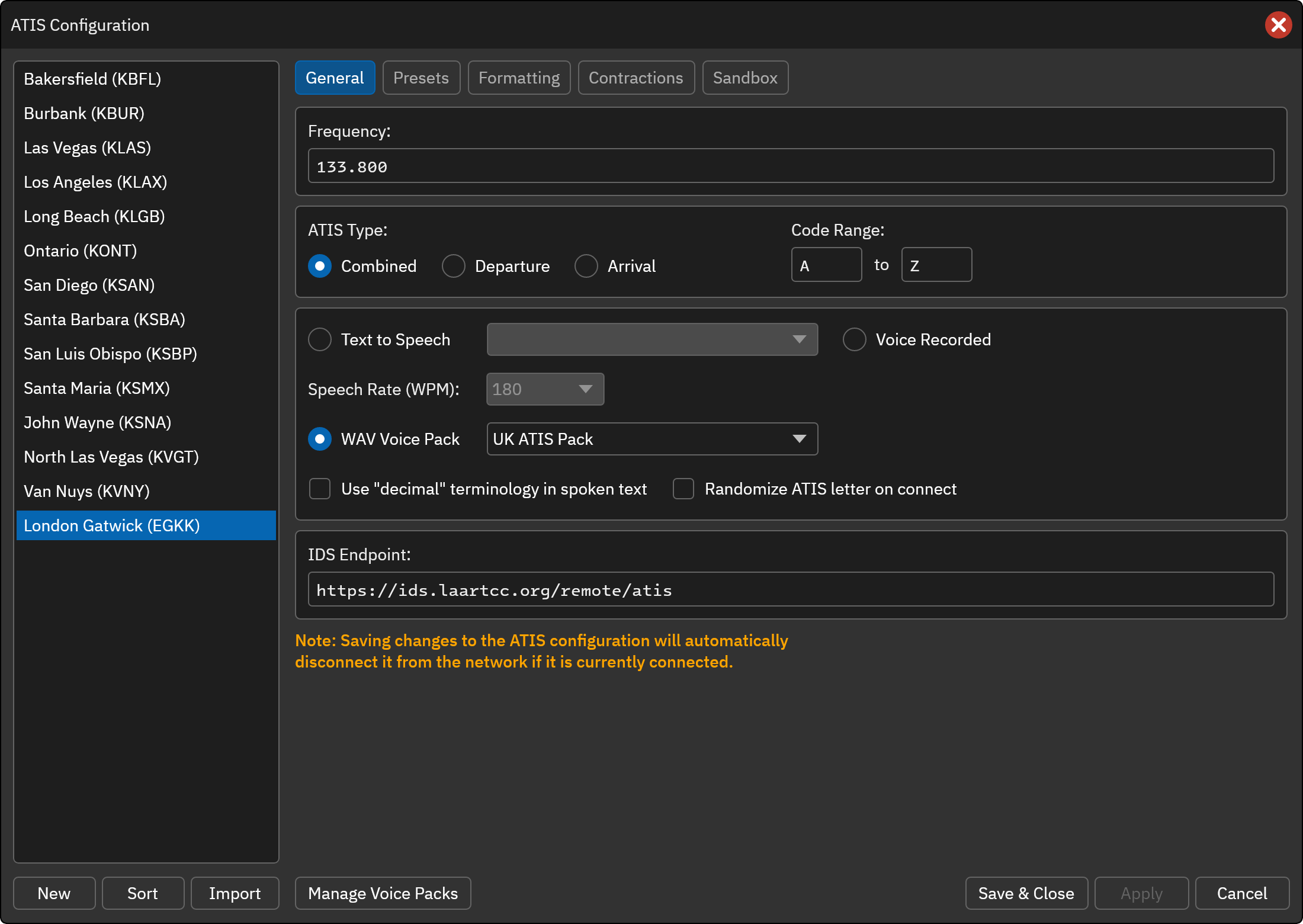
- In the ATIS Configuration window, select the station and open the General tab.
- Select WAV Voice Pack and choose a pack from the drop-down list.
- Click Save & Close or Apply.
Each station chooses its own pack, and any number of stations can share the same one. If the pack a station used is no longer installed, vATIS asks you to choose another pack or import the missing one when you save the station.
Note
Changing a station’s voice type disconnects it from the network if it is currently connected, as with any other change on the General tab.
If a word in the ATIS has no clip in the pack, the voice ATIS is not built and the missing words are listed. Add the missing clips in the Voice Packs window (see below), or choose a different pack.
Managing Voice Packs
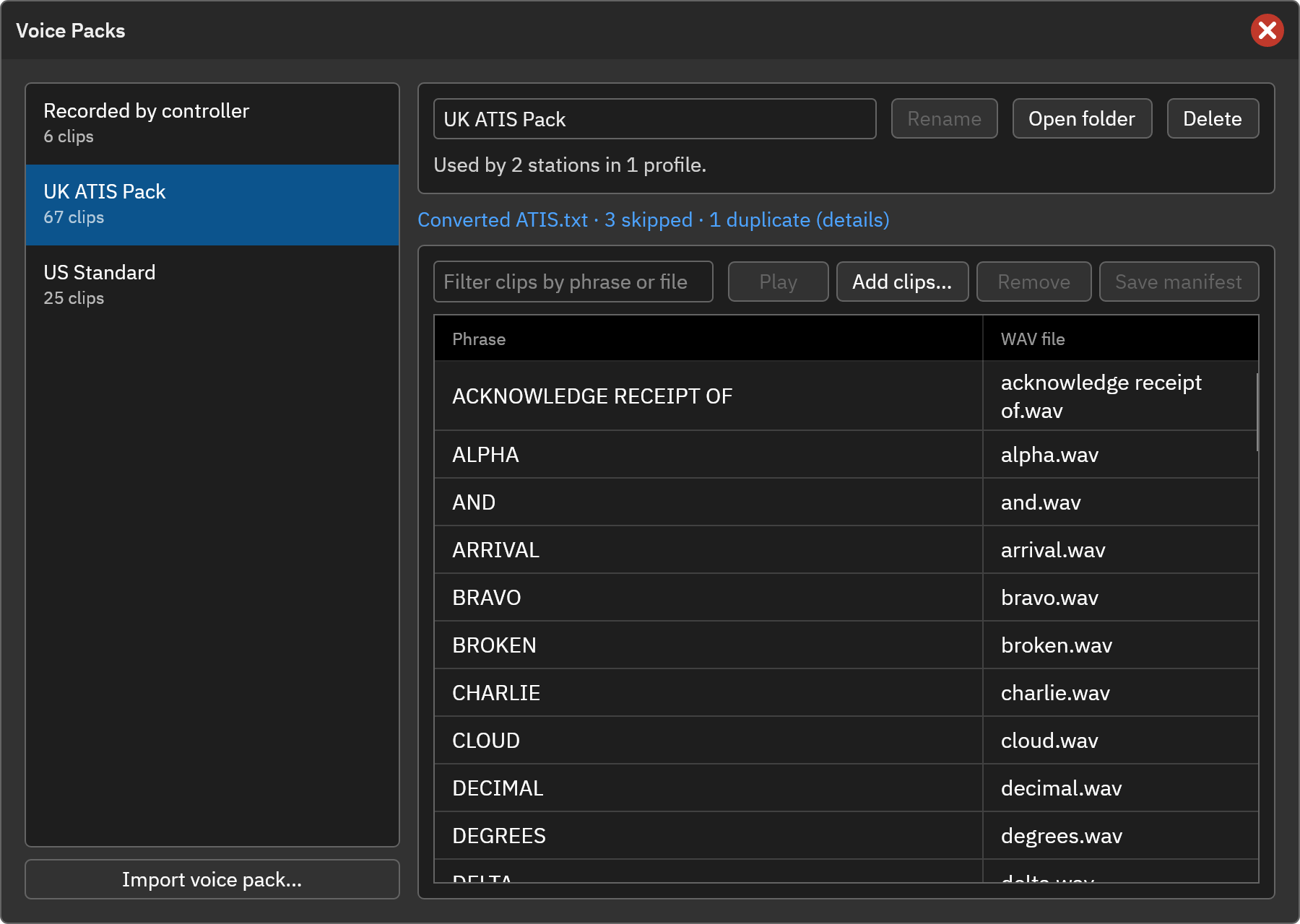
Click Manage Voice Packs at the bottom of the ATIS Configuration window to open the Voice Packs window. You do not need to select a station first.
-
Import voice pack…: Choose a folder that contains a
manifest.jsonfile and its WAV clips. A folder with a legacyATIS.txtis converted automatically (see below). The clips are copied into vATIS’s data folder, so the original folder is not needed afterwards. Importing a pack that is identical to one you already have selects the existing pack instead of making a copy. - Rename: Change the name shown in the station’s drop-down list.
- Open folder: Show the pack’s files in your file manager.
- Delete: Remove the pack and its audio files. If stations use the pack, the confirmation shows how many. Those stations will have no voice pack until you choose another.
-
Clips: The phrase-to-file table for the selected pack.
- Filter to find a phrase or file.
- Edit a phrase or file name in the table, then click Save manifest.
- Add clips… adds WAV files to the pack, and Remove removes the selected phrase.
- Play previews the selected clip.
How Clips Are Matched
The spoken ATIS text is split into words, and vATIS looks for the longest phrase in the pack that matches at each position. A pack can therefore contain single words (ALPHA, ONE) and longer phrases (TRANSITION LEVEL, ACKNOWLEDGE RECEIPT OF). Matching ignores case.
If a phrase is followed by a comma in the spoken text, vATIS uses the entry with a trailing comma (for example "INFORMATION,") when the pack has one, so you can supply a clip recorded for the end of a phrase. Otherwise the normal entry is used and a pause is added for the comma.
Clips can be any PCM WAV file (8, 16, 24 or 32 bit, any sample rate, mono or stereo). vATIS converts them to 48 kHz mono when the ATIS is built.
The Voice Pack Folder
A voice pack is a folder containing the WAV files and a manifest.json file:
{
    "name": "UK ATIS Pack",
    "gapMs": 60,
    "pauseMs": { ",": 250, ".": 500, ":": 250, "!": 500, "?": 500 },
    "clips": {
        "ZERO": "numbers/zero.wav",
        "ONE": "numbers/one.wav",
        "ALPHA": "letters/alpha.wav",
        "INFORMATION": "information.wav",
        "INFORMATION,": "information_comma.wav",
        "TRANSITION LEVEL": "transition_level.wav"
    }
}
| Property | Description |
|---|---|
name | The name shown in vATIS. |
gapMs | The silence, in milliseconds, between words. Defaults to 60. |
pauseMs | The silence, in milliseconds, added for each punctuation mark. Defaults are shown above. |
clips | Maps each spoken word or phrase to a WAV file. Paths are relative to the pack folder. |
You can also create and edit a pack’s clips in the Voice Packs window instead of writing the file by hand.
Importing a Legacy Pack
Voice packs from older ATIS tools that use an ATIS.txt file (lines such as RECORD:ALFA:alfa.wav) can be imported directly. vATIS converts the file into a manifest, and your original folder is not changed. After the import, the window shows a summary of what was converted, with a list of entries that were skipped or duplicated.
Sharing Profiles that Use Voice Packs
When you export a Profile or a single ATIS station that uses voice packs, vATIS creates a .zip file containing the profile and only the clips it uses. Importing that file adds the packs to the importer’s library, or reuses packs they already have. Profiles that do not use a voice pack are exported as before.
A profile that is updated from a remote source keeps each station’s voice pack choice.